Copy anything.
Press ⌥ Space.

Pekivo reads what you just copied — JSON, logs, JWTs, curl, SQL, XML, YAML, even screenshots — and shows what's inside. One shortcut instead of a dozen tools. Everything stays on your Mac.

Free for 14 days · macOS 14 or later · Apple silicon and Intel
Pekivo
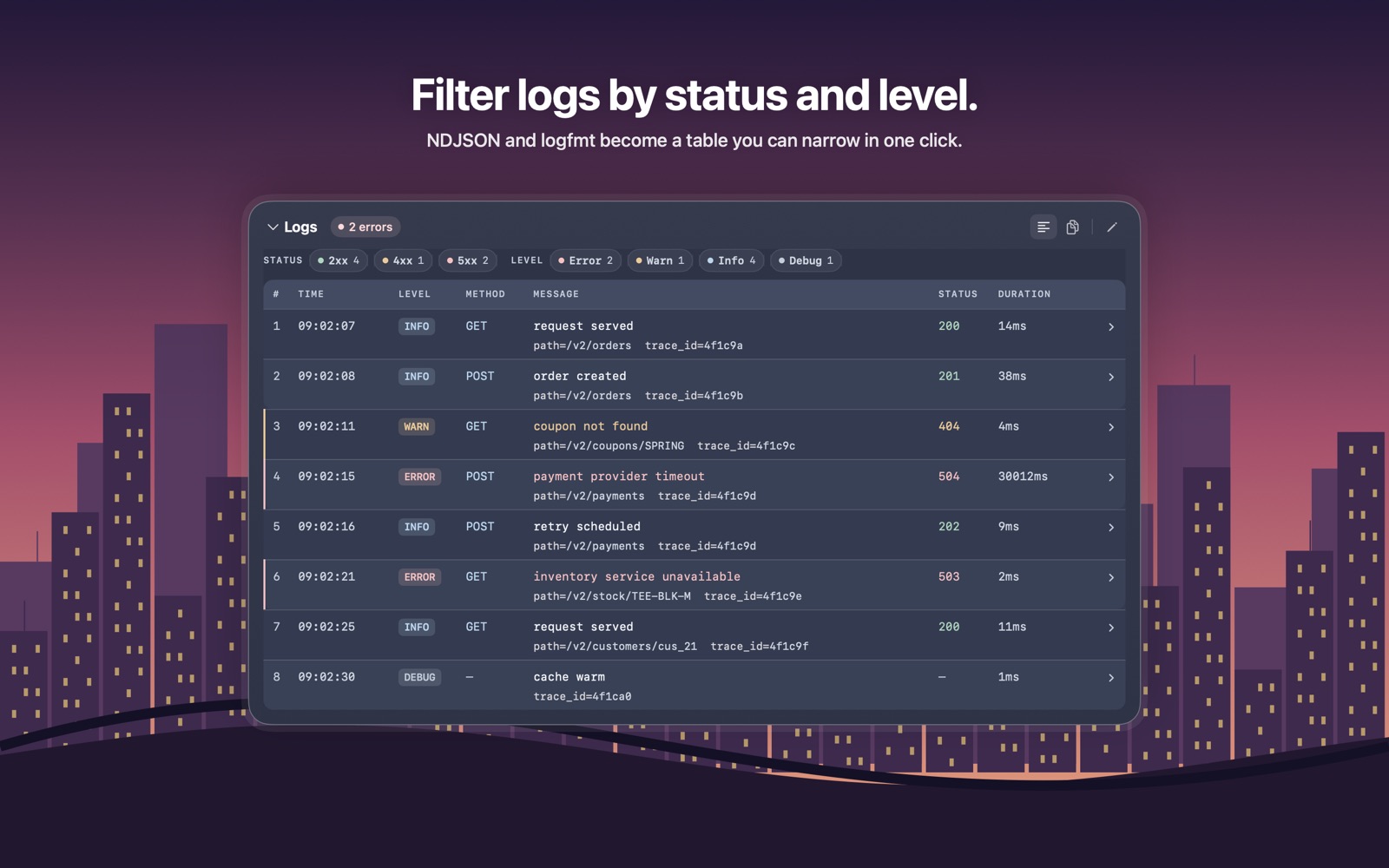
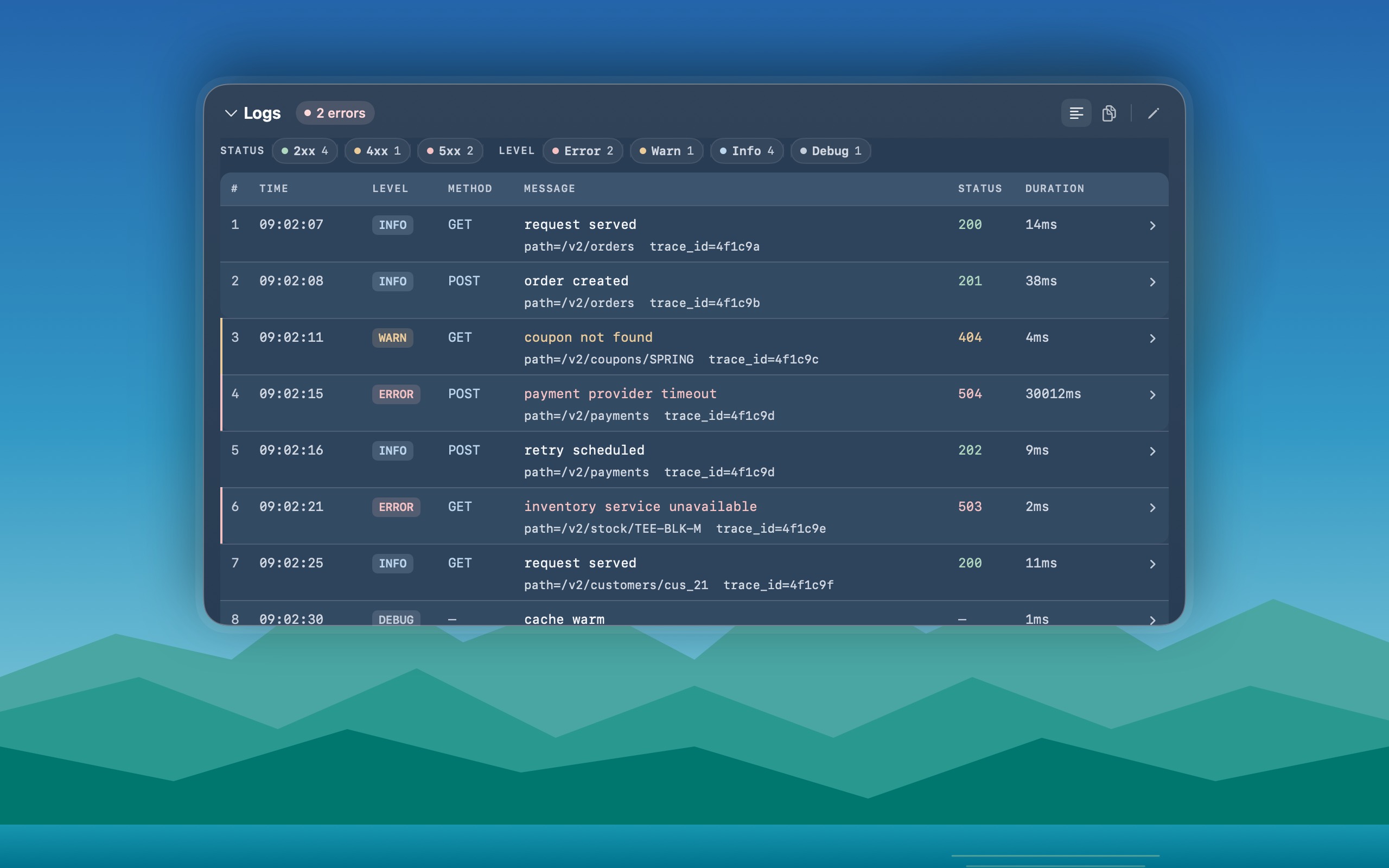
Pekivo showing copied logs as a filterable table
One shortcut instead of a dozen tools

Stop opening a website for every format.

No more formatter tabs or decoder sites. Copy it — Pekivo shows the right view.

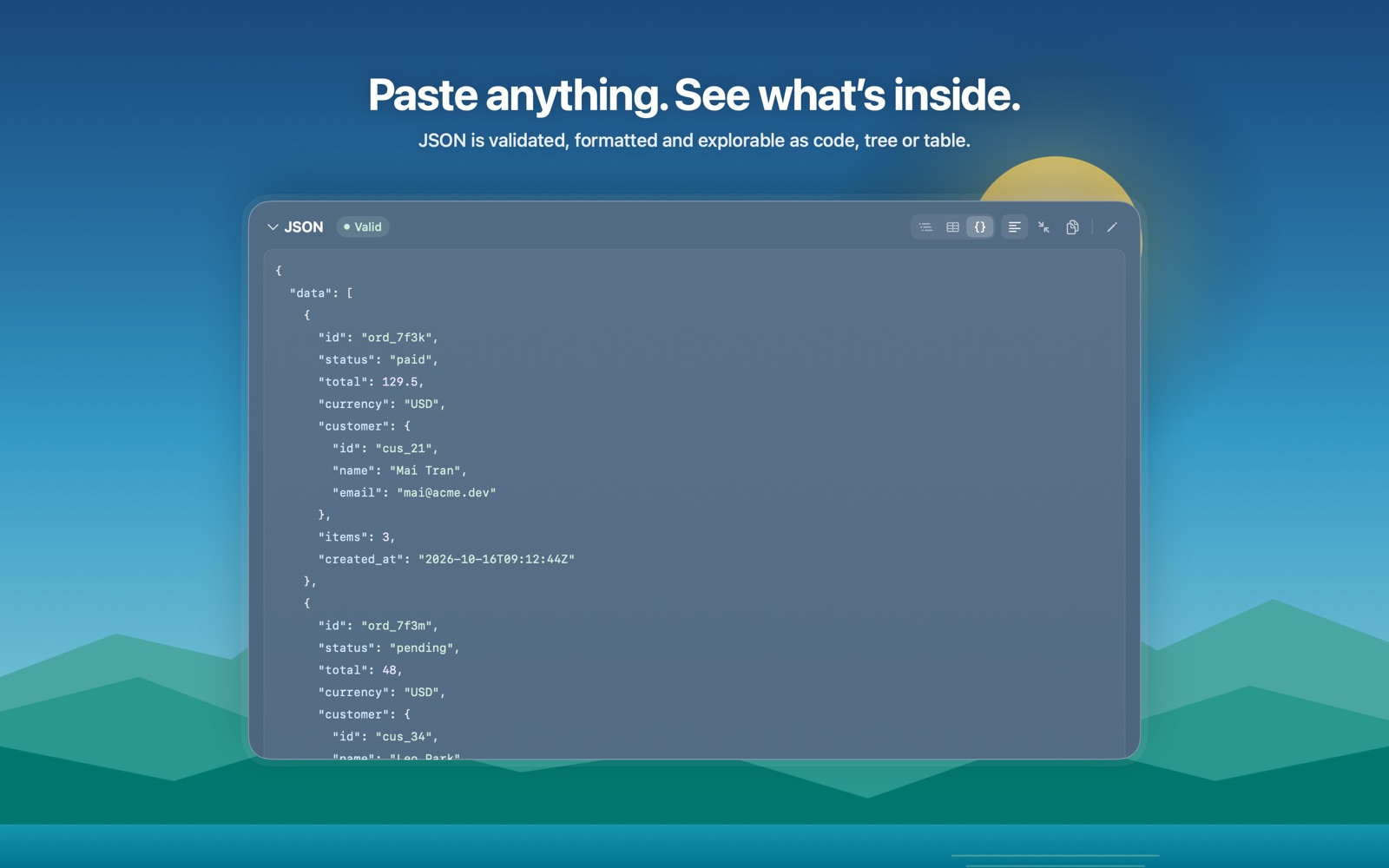
Formatted JSON
API response→Formatted JSON
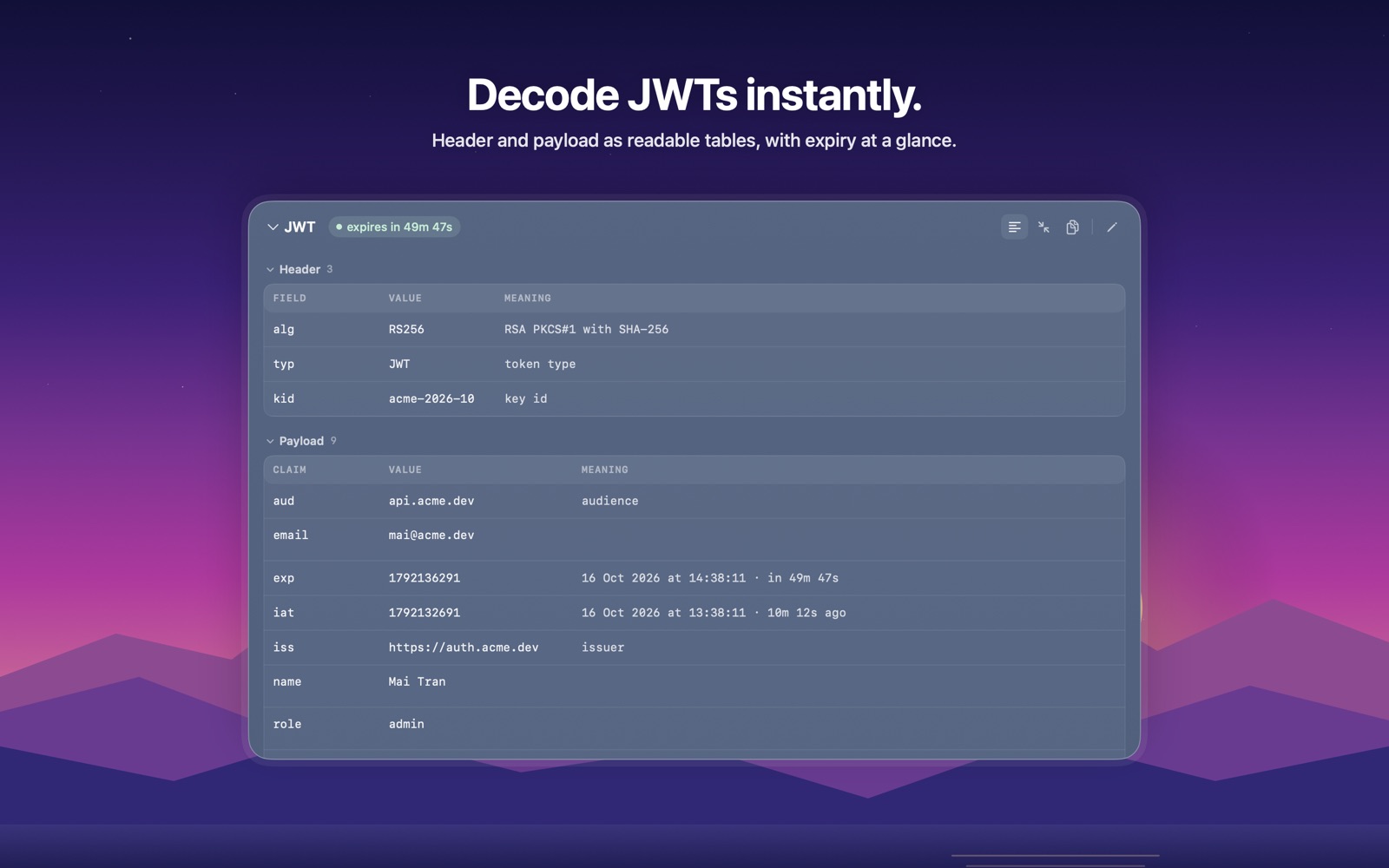
Decoded JWT
Bearer eyJhbGci…→Decoded JWT
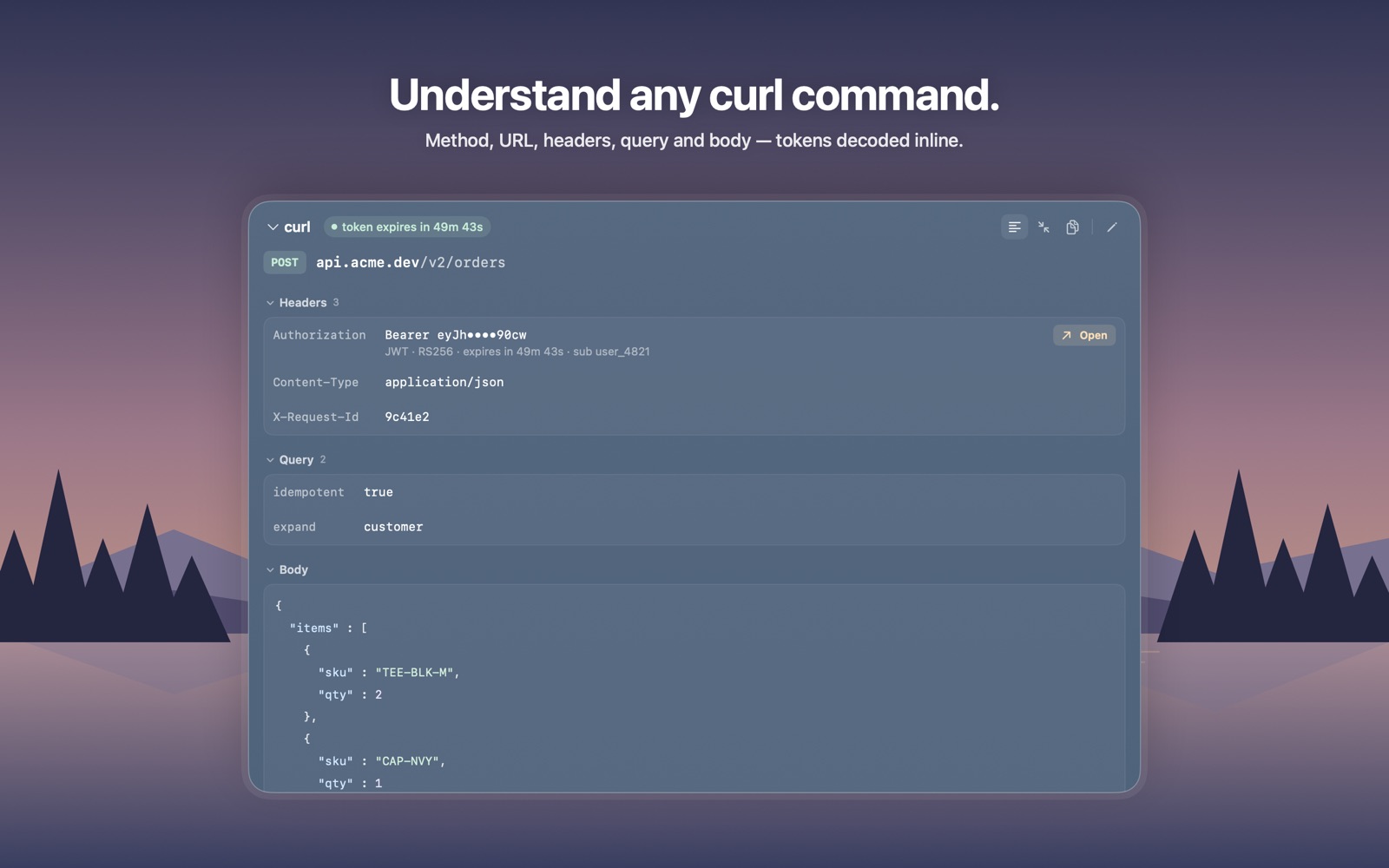
Readable request
curl -X POST …→Readable request
Filterable log table
Pod logs→Filterable log table
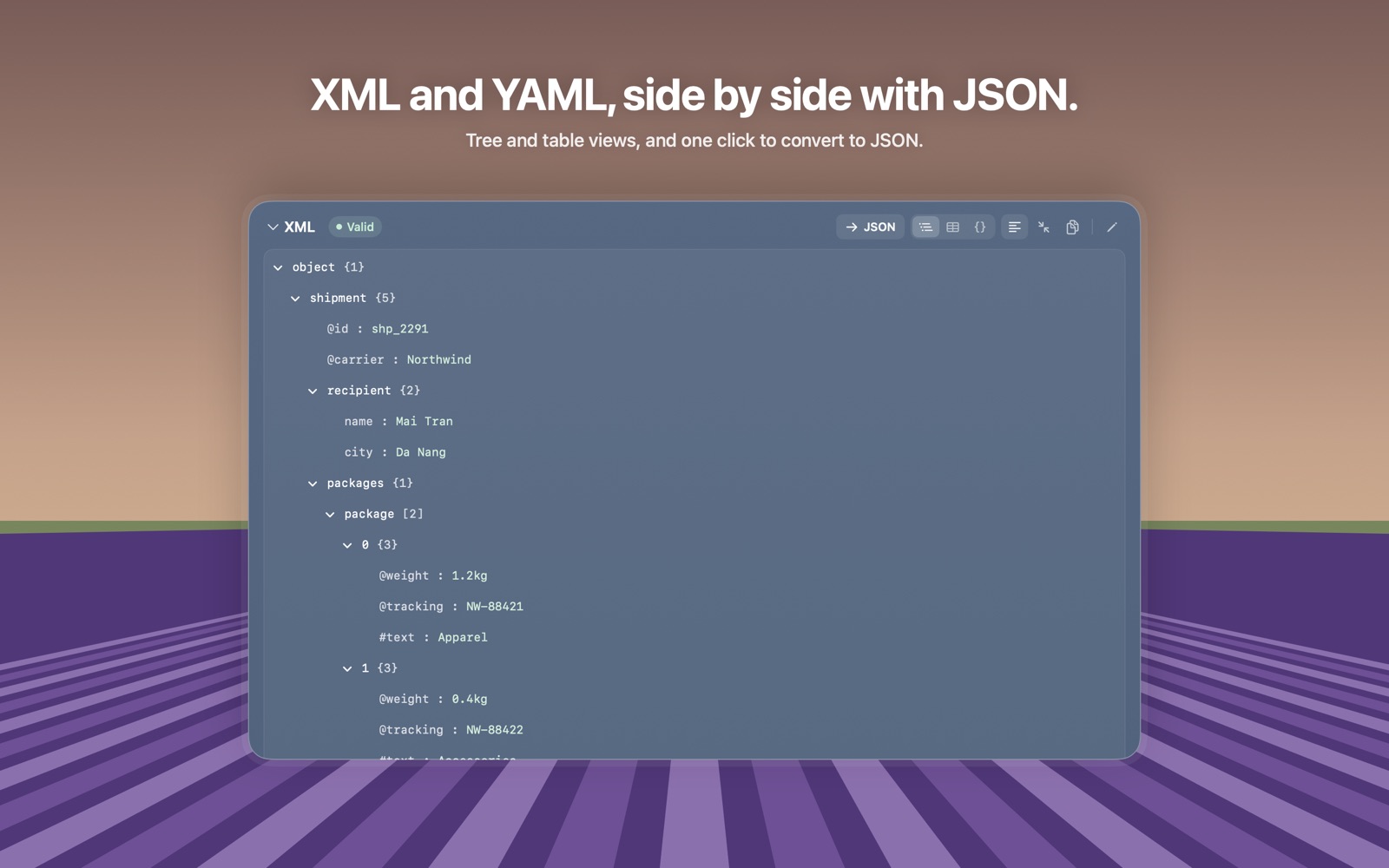
XML tree → JSON
<soap:Envelope>→XML tree → JSON
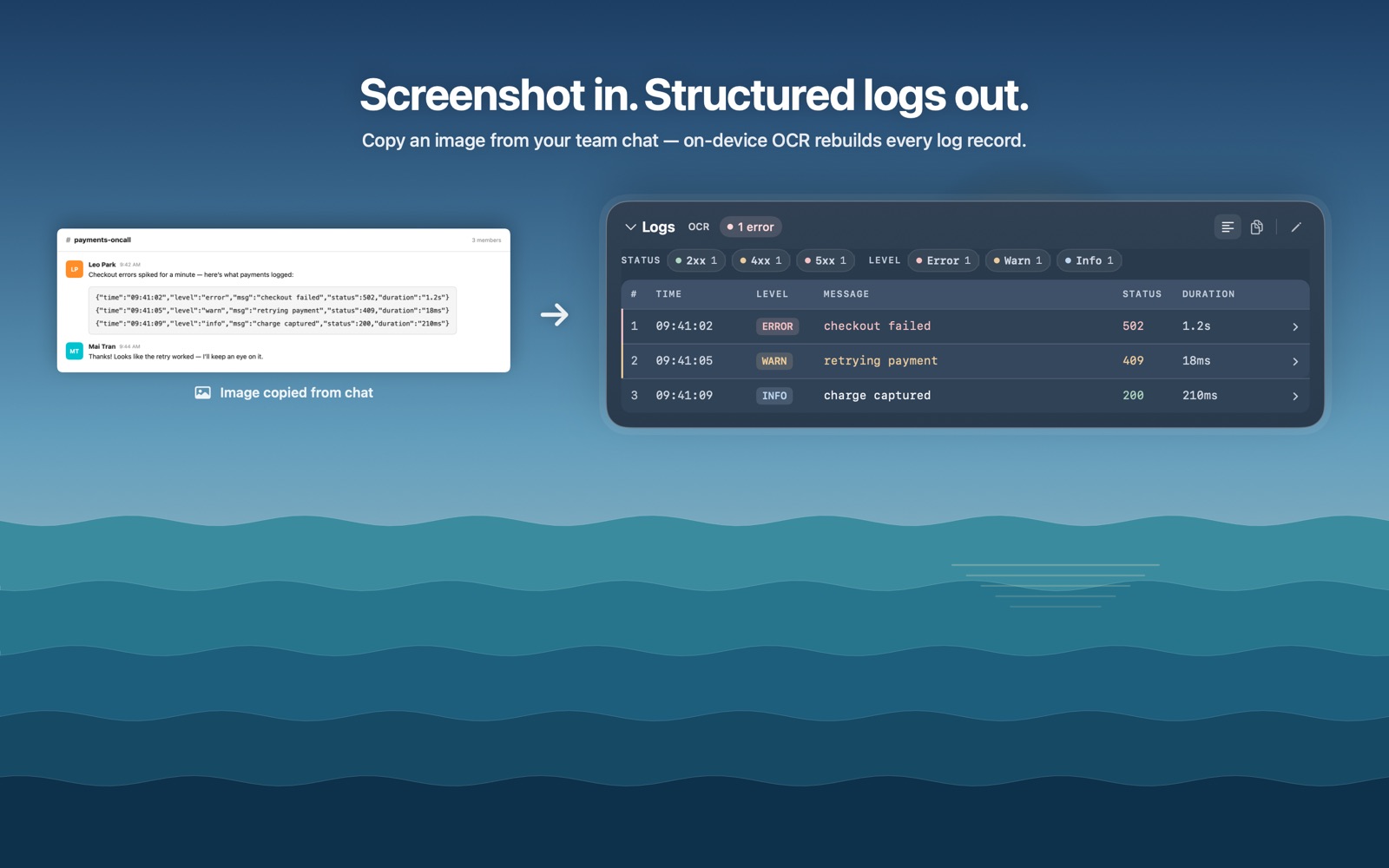
Text via on-device OCR
A screenshot→Text via on-device OCR
JSONXMLYAMLJWTcurlLogsSQLURLOpenAPI.envCronTimestampsUUIDBase64MarkdownColorScreenshots
Like Spotlight, for your clipboard

Five seconds from copy to answer.

No pasting needed: ⌥Space opens Quick Paste over the app you're in and reads the clipboard itself, so the answer is on screen the moment it opens.

Click Copy→⌥ Space→Read it
Deployment logs without a text editorCopy the pod logs from Argo CD, a Kubernetes UI or a CI page, press ⌥Space, click Error.
A table in a picture, as MarkdownCopy the image — or the image file itself in Finder — press ⌥Space, and on-device OCR gives you a Markdown table for your PR or wiki.
Features

Every format, the right view.

    How it's different

    Why not just use…

    Web formatters & decoders

    One site per format, and your tokens, logs and queries go to a server you don't control. Pekivo covers every format and nothing leaves your Mac.

    Developer toolbox apps

    Great toolboxes — you switch to the app, pick a tool, paste. Pekivo opens over the app you're in, detects the format itself, and also reads screenshots and turns logs into a filterable table.

    Clipboard managers

    They remember what you copied. Pekivo explains what you copied — and keeps no history. They work well side by side.

    Simple and private

    Everything runs on your Mac.

    No account, no sign-in, no setup — one shortcut, one panel. Nothing you copy ever leaves your Mac.

    Local processing

    Everything you copy, inspect, format or view is processed on your Mac. Nothing is uploaded.

    On-device OCR

    Screenshots are read with macOS's own text recognition, on your Mac.

    No tracking

    No analytics, no AI APIs, no account. Closing Quick Paste clears what it showed; there is no clipboard history.

    Network only when you ask

    Activating a license (your key and Mac's name, never your content) and checking for updates.

    Themes

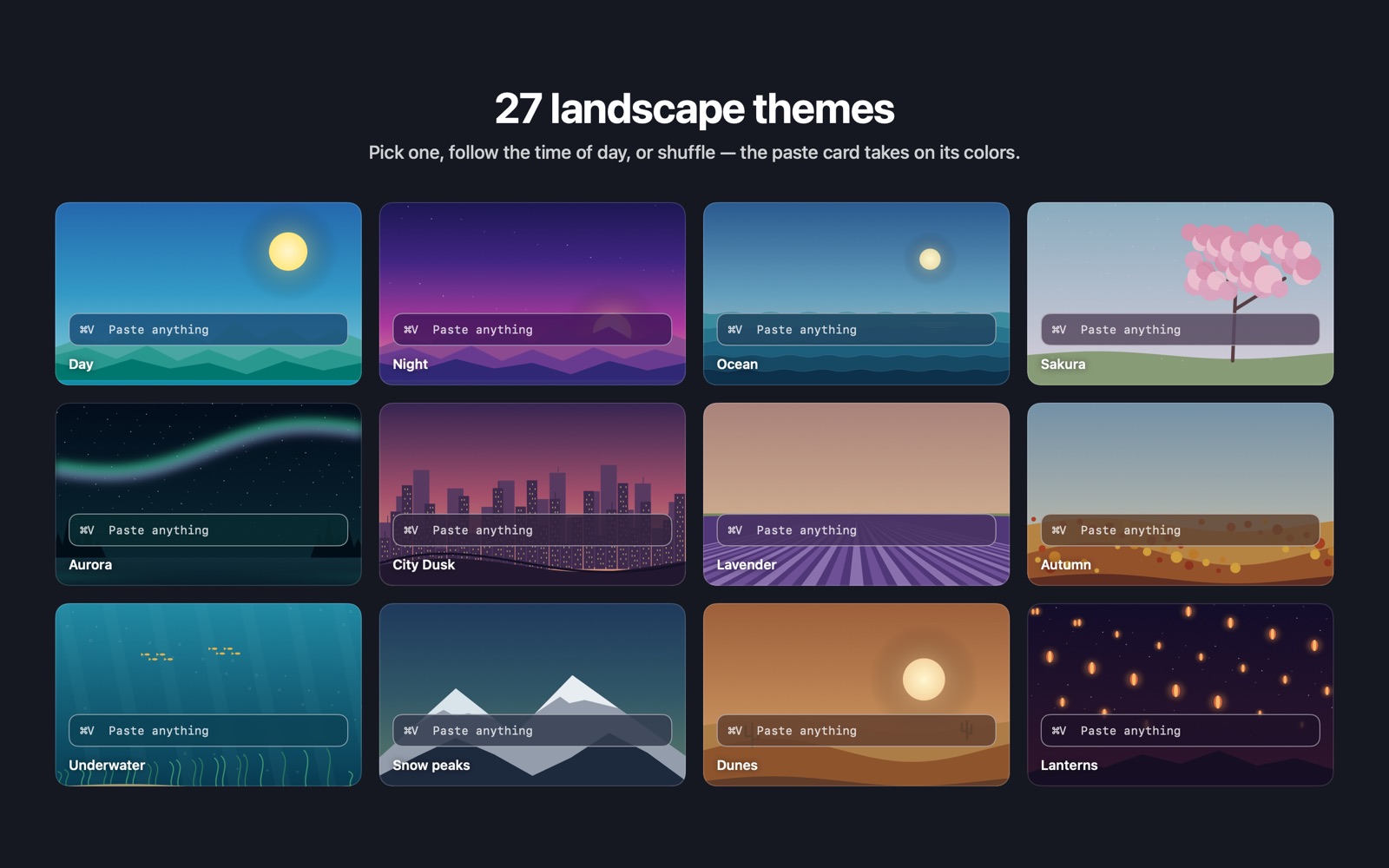
    27 hand-drawn landscapes.

    Day, night, ocean, sakura, aurora, city dusk, lavender, underwater, dunes, lanterns and more.

    Pick one, follow the time of day, or shuffle. Results always sit on an opaque surface, so text stays readable.

    A gallery of Pekivo's landscape themes
    Pricing

    Pay once. Use it for good.

    One-time purchase, no subscription. Every plan includes all features, 27 themes and every 1.x update. Launch prices for a limited time.

    Standard

    For one personal Mac

    $19 $12
    Launch price
    • Activate on 1 Mac
    • All 1.x updates
    • Every feature & 27 themes
    Buy Standard
    Most popular

    Pro

    Work Mac + home Mac, no key juggling

    $29 $19
    Launch price
    • Activate on 2 Macs at once
    • All 1.x updates
    • Every feature & 27 themes
    • Priority support & feature requests
    Buy Pro

    Team

    For small dev, DevOps and backend teams

    $59 $39
    5 Macs · ~$7.80 per seat
    • Activate on 5 Macs
    • All 1.x updates
    • Priority support
    Buy Team

    Download the free 14-day trial — every feature unlocked, no card needed.

    FAQ

    Questions

    Does Pekivo need Accessibility or Screen Recording permission?

    No. Pekivo reads the clipboard only when you press the shortcut. OCR works on images you copy, so it never records your screen.

    Can I change the ⌥Space shortcut?

    Yes. Choose ⌥Space, ⌥X, ⌃Space or ⌥⌘V in Settings, or turn the shortcut off.

    What happens when the 14-day trial ends?

    Every feature works during the trial. After 14 days, enter a license key to keep using Pekivo.

    How do I move my license to another Mac?

    Standard covers 1 Mac, Pro 2 Macs and Team 5 Macs. To move a license, remove the activation on the old Mac in Settings, then activate on the new one.

    Are updates free?

    Yes, every 1.x update is included with your license.

    What if Pekivo isn't right for me?

    That's exactly what the free 14-day trial is for — every feature is unlocked, no card needed, so you only pay once you know it fits your workflow. And if anything goes wrong with your purchase or license, get in touch and we'll make it right.

    macOS says it can't verify the developer. Is it safe?

    Pekivo isn't notarized by Apple yet. On first launch, right-click the app and choose Open, or go to System Settings → Privacy & Security → Open Anyway. The app makes no network calls except license activation and update checks.